DATA AND EMAIL BACKUP

Email archiving with unlimited data storage
Dropsuite backs up Microsoft 365 and Google Workspace up to 5 times a day
and managed with an easy “set it and forget it” web-accessible interface.
Dropsuite provides functionality to reserve, search, and hold your organizations emails
using journaling-based email archiving for Exchange, Gmail, IMAP, or POP protocols.
Compliant with GDPR, HIPAA, SOC2; Data centers FISMA, ISO 27001 and SSAE16 regulatory laws.

Dropsuite Dashboard
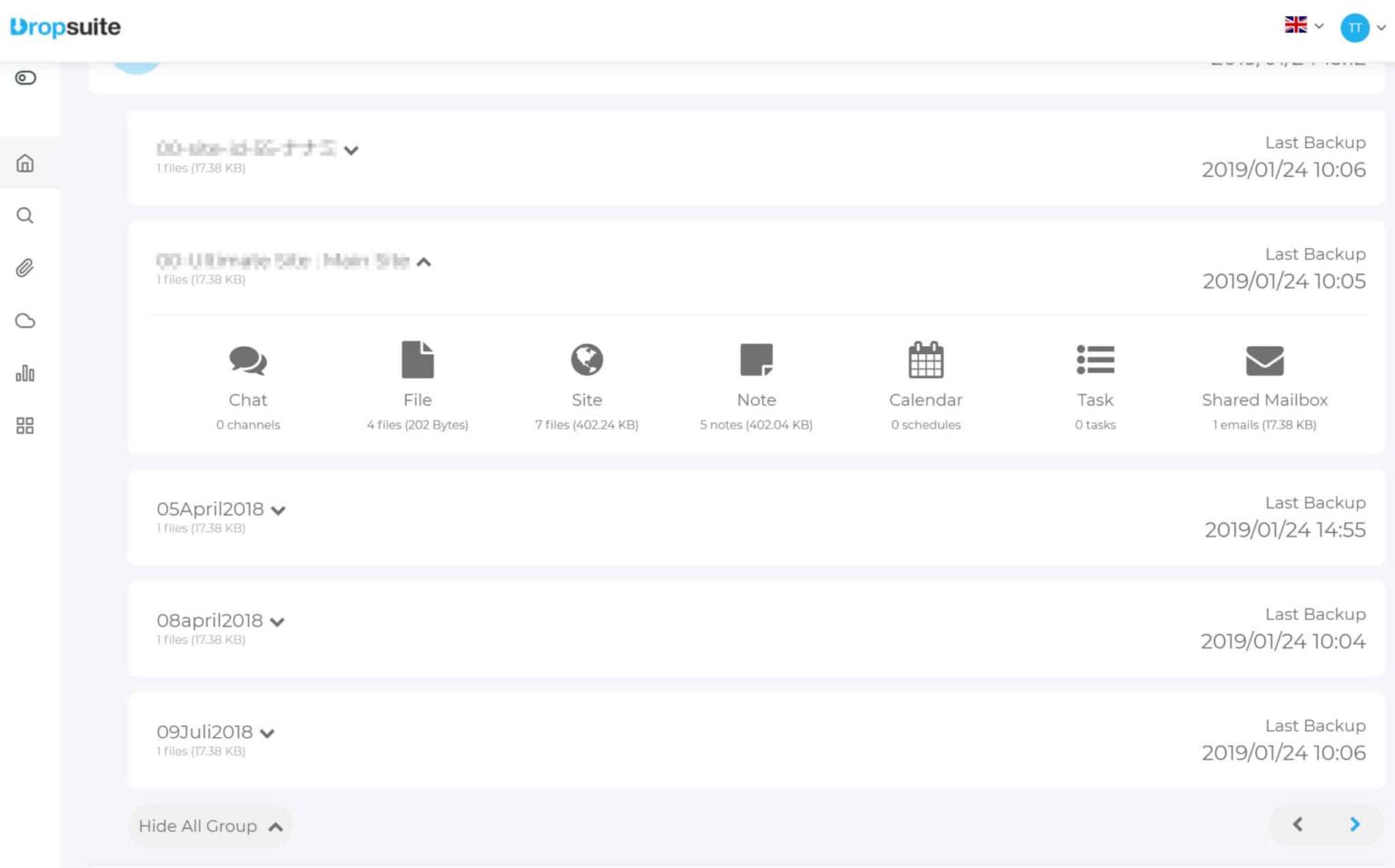
Dropsuite users can effortlessly set backups to safeguard even more Microsoft 365 and Google Workspace applications than ever before with a newly refreshed user interface.
Major enhancements to the Email Backup and Archiving product suite include a streamlined account onboarding that simplifies the process.
No matter whether you’re using Hosted Exchange, Open-Xchange, G Suite Gmail, IMAP or POP3 systems, you can rest assured your data can be safely and securely backed up and restored.
The new additions to Microsoft Groups and Teams capabilities include backing up, archiving and as necessary restoring Chats. Chat in Teams has become a prime means of collaboration, and the ability to safely and securely backup, archive and restore this business-critical data is an important part of any business data protection plan.
Statistics Reports
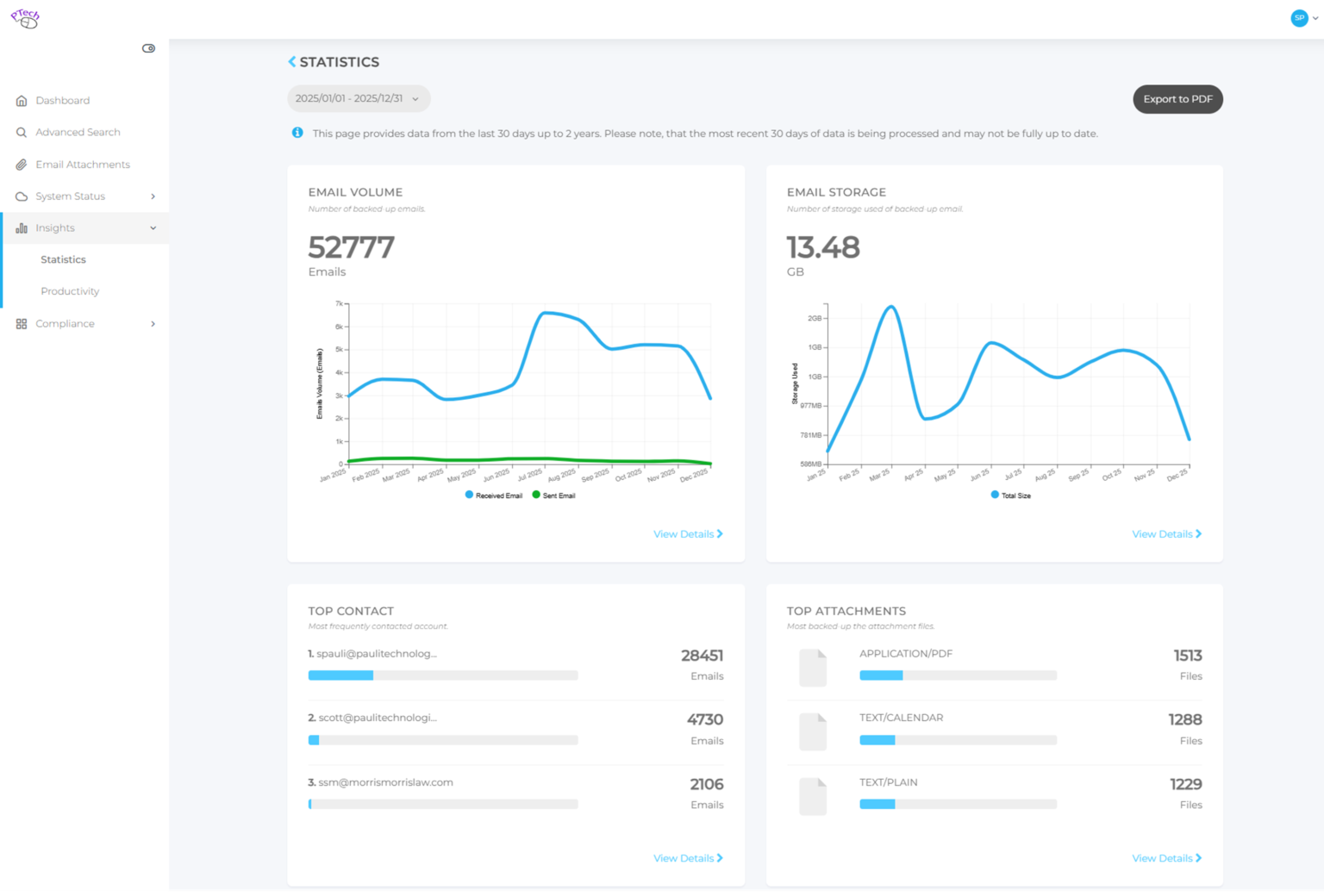
Available Email Reports
There are a variety of easy-to-use reports that can immediately help identify patterns of email usage. The list includes:
- Email Volume Analysis: This report provides visual graphs that can clearly highlight unusual highs or lows in email volume. Patterns of unusual use are instantly obvious and can be followed up on with ease, helping to identify and correct any potential process or systems issues causing spikes in activity.
- Time Sending Emails: One of the most powerful sets of data is the Time Sending Emails report. Learn the amount of time sending emails occupies in a group or individual’s day. Patterns of unusual activity are an easy way to learn if spammers or hackers are using email systems to surreptitiously send illicit messages.
- Top Contacts Identification: Many business administrators want to know who on a team is being overwhelmed, or underwhelmed, with email. This data instantly helps identify who may be contacted, by how much, and with what type of data. Analysis can reveal if processes or procedures need to be modified to improve performance.
- Top Senders/Recipients: Another really helpful report, this one is beneficial for identifying users who are sending or receiving either too many or too few emails vs the norm. Using this report, business administrators can easily identify overworked or underperforming users who may need help, or training, to improve performance.
- Email Storage Utilization: Data from this report is extremely helpful for evaluating how much data is being stored over a given period of time. This is valuable for firms with limits on storage at the business, division or individual levels and can help identify if additional storage may be needed well in advance of running low.
- Attachments by Size and Number: This report is an excellent tool for evaluating quantity and size of attachments from a global down to an individual level. Large attachments can cause strains on any email system. Knowing how many and how large attachments are is helpful for identifying if process improvements or training are required to reduce large attachment usage.
There are a variety of easy-to-use reports that can immediately help identify patterns of email usage. The list includes:
- Email Volume Analysis: This report provides visual graphs that can clearly highlight unusual highs or lows in email volume. Patterns of unusual use are instantly obvious and can be followed up on with ease, helping to identify and correct any potential process or systems issues causing spikes in activity.
- Time Sending Emails: One of the most powerful sets of data is the Time Sending Emails report. Learn the amount of time sending emails occupies in a group or individual’s day. Patterns of unusual activity are an easy way to learn if spammers or hackers are using email systems to surreptitiously send illicit messages.
- Top Contacts Identification: Many business administrators want to know who on a team is being overwhelmed, or underwhelmed, with email. This data instantly helps identify who may be contacted, by how much, and with what type of data. Analysis can reveal if processes or procedures need to be modified to improve performance.
- Top Senders/Recipients: Another really helpful report, this one is beneficial for identifying users who are sending or receiving either too many or too few emails vs the norm. Using this report, business administrators can easily identify overworked or underperforming users who may need help, or training, to improve performance.
- Email Storage Utilization: Data from this report is extremely helpful for evaluating how much data is being stored over a given period of time. This is valuable for firms with limits on storage at the business, division or individual levels and can help identify if additional storage may be needed well in advance of running low.
- Attachments by Size and Number: This report is an excellent tool for evaluating quantity and size of attachments from a global down to an individual level. Large attachments can cause strains on any email system. Knowing how many and how large attachments are is helpful for identifying if process improvements or training are required to reduce large attachment usage.
Email + Unlimited Data
$4
user/month billed annually
- Easy “set it and forget it” user interface
- Features a reserve, search, and hold emails functionality
- Utilizes journaling-based email archiving for Exchange, Gmail, IMAP, or POP protocols
- Compliant with GDPR, HIPAA, SOC2, FISMA, ISO 27001 and SSAE16 regulatory and privacy laws
- Backs up Microsoft 365 and Google Workspace up to 5 times a day
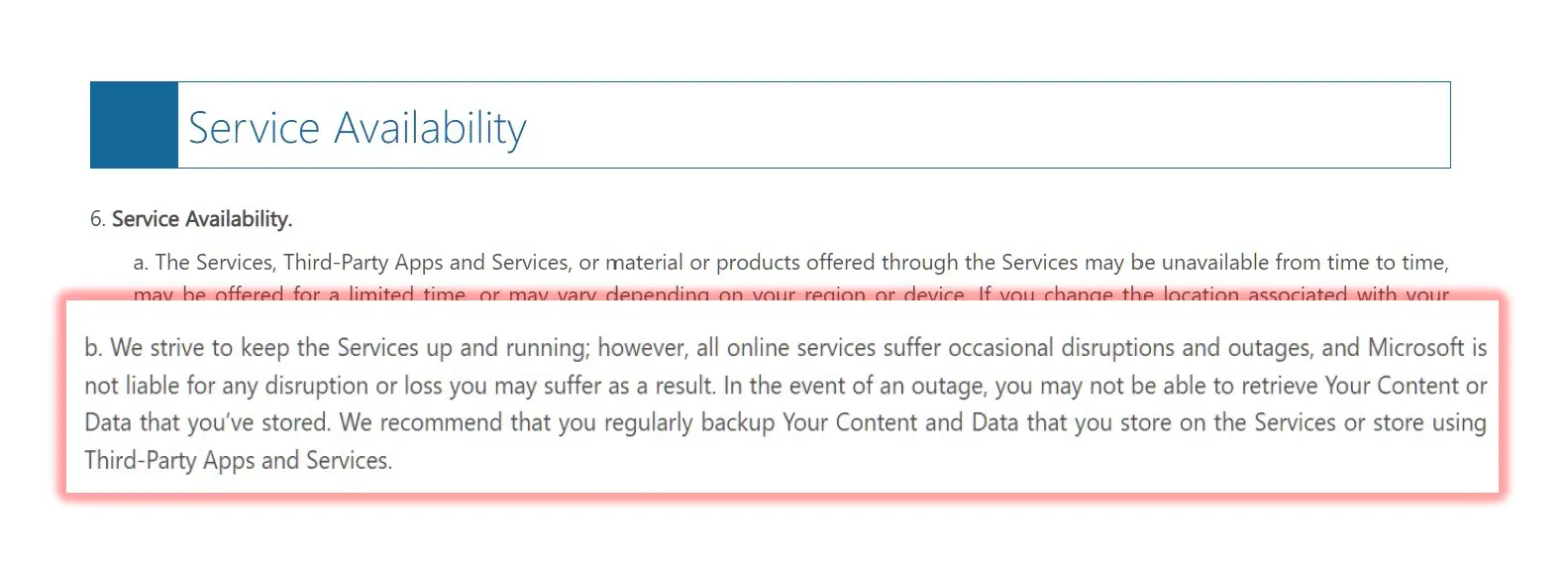
Even Microsoft recommends using 3rd party backups
per MS Service Agreement clause 6 b.